
Spectro Team · May 4, 2026 · 3 min read
Online vs Offline Lossless Checkers: Which Wins?
Online lossless audio checkers are convenient but have real limits. Here's why a native Mac app gives more accurate results — and when an online tool is enough.
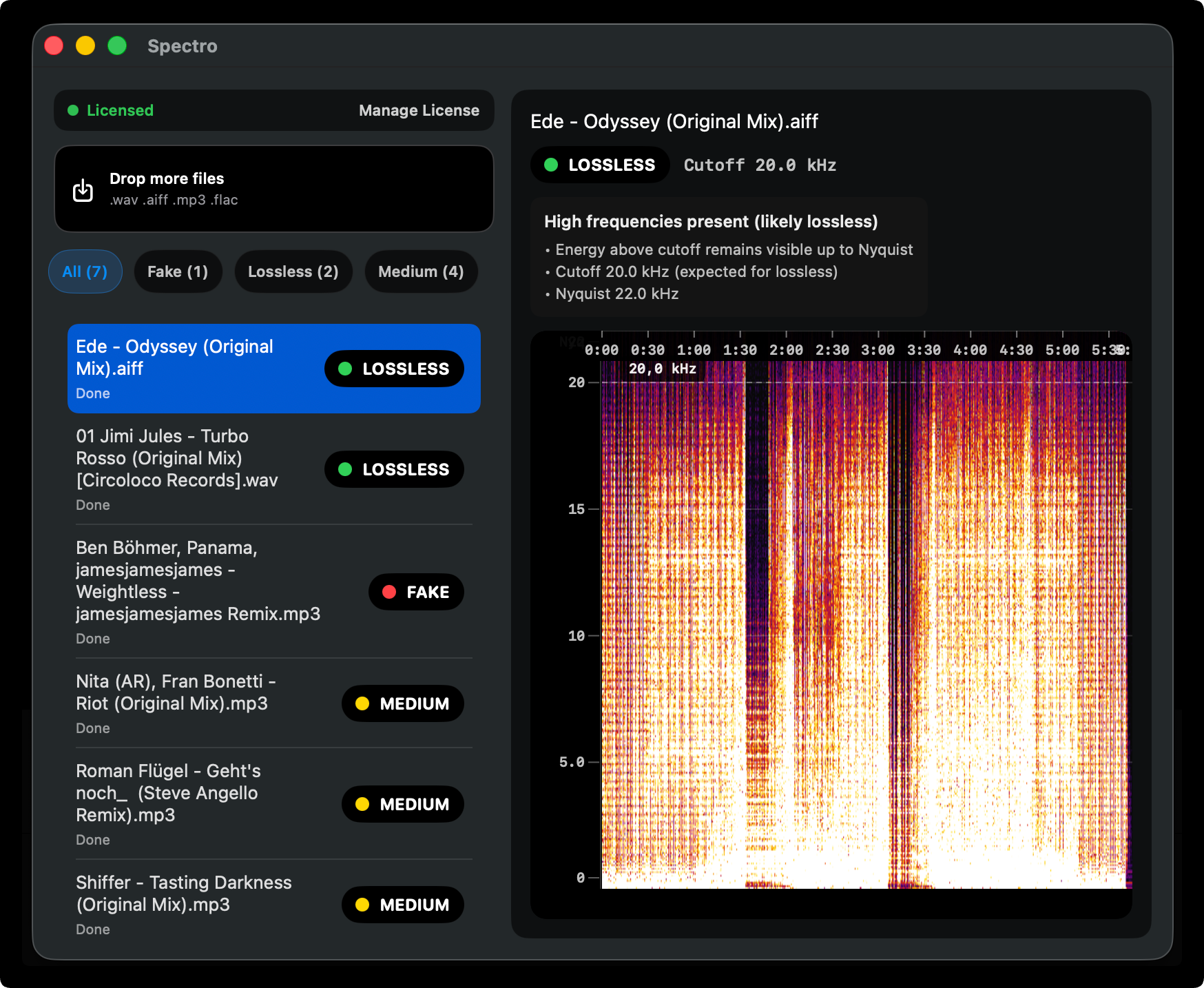
Quick Answer: Online lossless checkers are limited by browser memory and upload constraints — they can miss subtler fake lossless patterns. A native app like Spectro runs the full FFT analysis locally with no file size limits, no upload latency, and no privacy tradeoff.
Can you check lossless audio quality online?
Yes, but with caveats. Browser-based audio checkers run their analysis inside a JavaScript sandbox. That means decoding happens in main-thread or worker contexts with strict memory ceilings — large files or long tracks can fail to load entirely, or the decoder may analyze only a slice of the file. You also depend on upload bandwidth and server-side limits: many tools cap file size, strip metadata unpredictably, or re-encode during transfer.
Spectral analysis for fake lossless detection needs a stable view of the full frequency content. If the browser never decodes the entire waveform — or if it downsamples aggressively to stay within memory — you can miss a hard cutoff that sits at the edge of the spectrum. That is especially true for ambiguous cases around 19–20 kHz where 256 kbps MP3 and genuine lossless can look similar unless the analysis is complete.
What online checkers get right
For a single short file — a promo WAV you want to sanity-check before a gig — a lightweight online checker can be enough. If you only need a quick pass/fail-style hint and the file is small, browser tools remove install friction.
They are also useful when you are away from your Mac and just need a rough confirmation. The tradeoff is always the same: convenience versus completeness. Online workflows rarely scale to folders, FLAC libraries, or unreleased material you do not want on someone else's server.
Where native analysis is more accurate
A native macOS app reads files straight from disk. There is no upload step, no arbitrary browser heap limit on decode length, and no dependency on network conditions. Spectro runs the same core idea — FFT-based spectral analysis — across every supported file in a folder, with LOSSLESS, FAKE, or MEDIUM verdicts per track.
That matters for DJs who buy from multiple stores and pools: you are not checking one file — you are auditing hundreds of tracks before USB export. Offline batch scanning also keeps promo and white-label audio off the internet entirely.
For how Spectro interprets borderline spectra and false positives, see Why Your Lossless File Is Being Flagged as Fake. For the full detection workflow, see How to Detect Fake Lossless Audio Files on Mac.
Which tool should you use?
| Online checker | Spectro (offline) | |
|---|---|---|
| Batch scan folders | ✗ | ✓ |
| Files leave your computer | ✓ | ✗ |
| File size limit | Often yes | No |
| Works without internet | ✗ | ✓ |
| Automatic verdict | Varies | ✓ |
| Free | Often | ✓ (100 tracks) |
FAQ
Is there a lossless audio checker that works online for free?
Free browser-based tools exist, but they are usually limited to one file at a time and depend on browser memory and upload caps. For DJ libraries with 100+ files, an offline checker that scans folders in batch is far more practical.
Does Spectro work without internet?
Yes. Spectro runs 100% offline. Files never leave your Mac.
Related posts
Try Spectro free
100 files free. No account needed. Buy for $39 when you're ready.
Download Spectro — $39